
07/2025 · Product
Orderlite — QR table ordering
A multi-venue web app: guests scan the QR code on their table to order, staff run every order from one realtime Kanban board.
- Scope
- Ordering, order board, payment, reports
- Workflow
- Ordering, order board, payment, reports
- Languages
- vi · en · zh-TW
The problem
A restaurant or cafe needs guests to order from the table without waiting for staff, and needs staff to run orders smoothly at the busiest hour. The familiar way — wave someone down, write it on paper, walk it to the kitchen — breaks exactly when it is busiest.
How it works
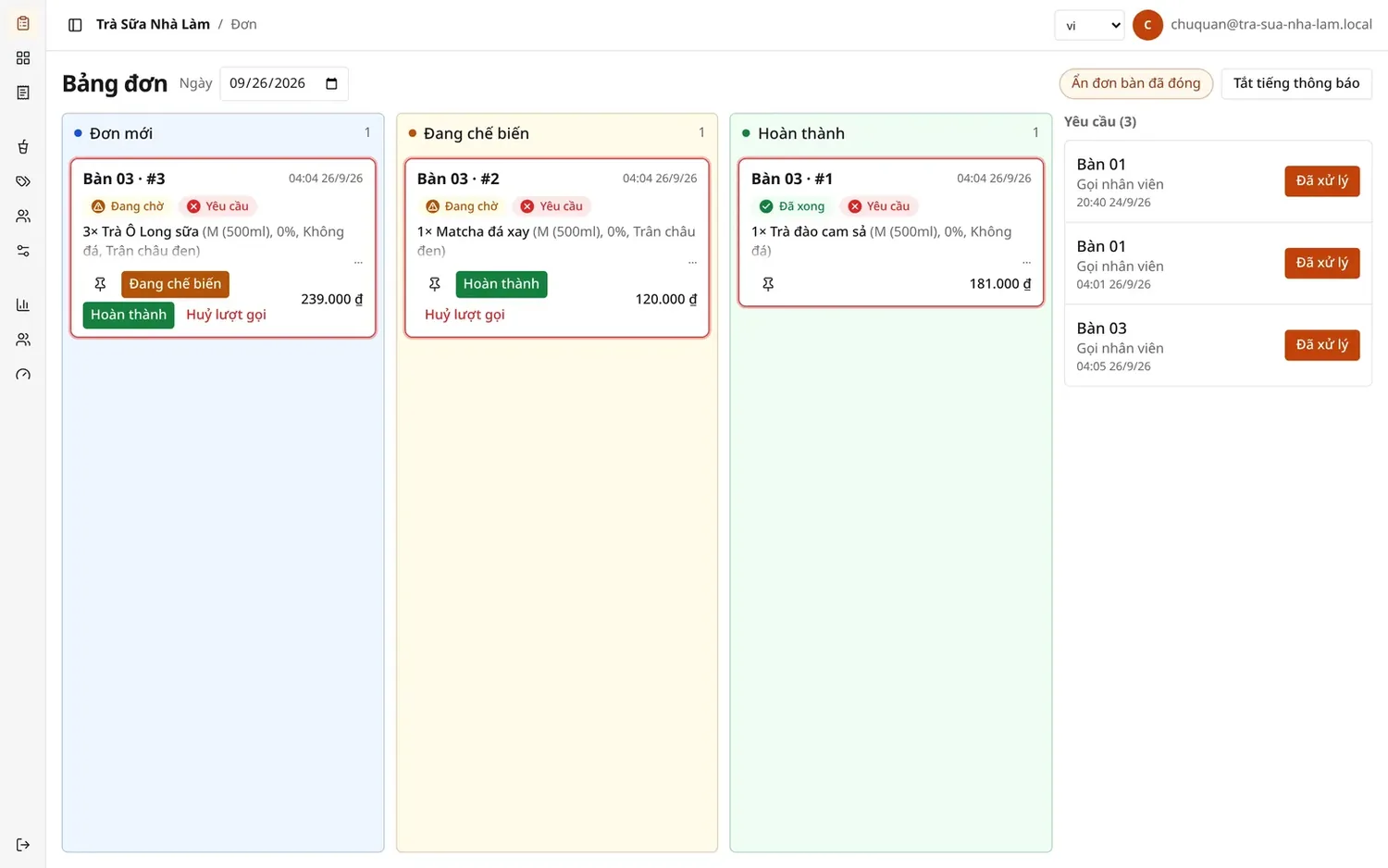
Orderlite is one web app serving many venues. A guest scans the QR code on the table, opens the web app, reads the menu and orders: nothing to install, no account, no online payment — they pay after the meal.
Staff and managers work from one realtime dashboard:
- A three-column Kanban board — New → In progress → Done — draggable, and updated the moment the kitchen finishes.
- Sold-out toggles on the product list; the menu on every guest's phone follows, with no page reload.
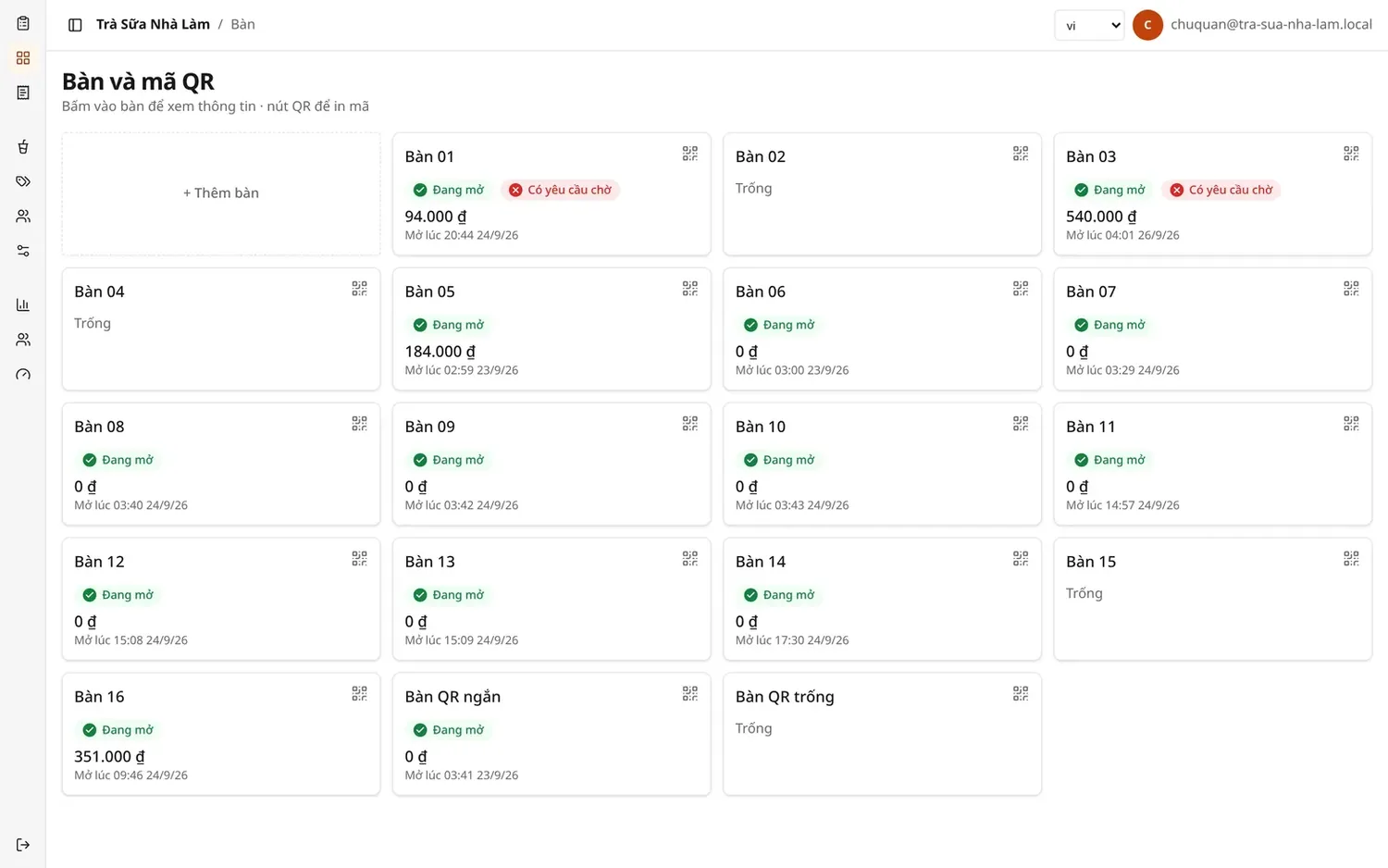
- Taking payment and closing the table session, including opening a table for a guest who did not scan.
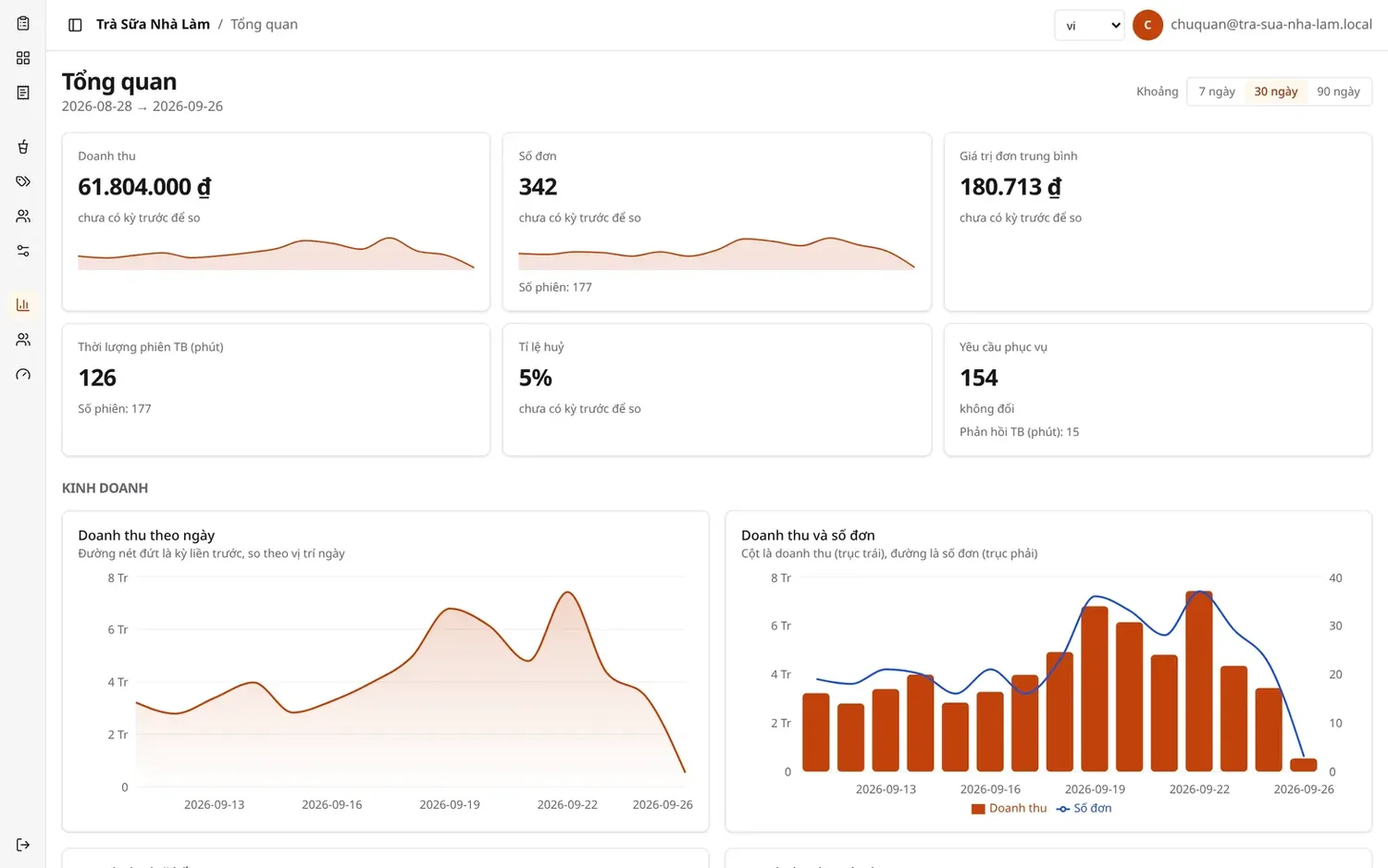
- Revenue reporting and the best-selling items.
Prices are always computed on the server, never in the client: variants (size, toppings, sugar/ice level) can change the price, so the final number has exactly one place allowed to decide it.
A few decisions
- No online payment in the MVP. Cut deliberately, along with the receipt printer, a separate kitchen display and bill splitting — the schema does not block them, each is a table away.
- One visit, one invoice. A table session only closes by hand, so daily revenue is countable rather than inferred.
- Authorisation is per venue. Every query by an owner or staff member is confined to that venue, taken from the signed-in session rather than from a parameter the client sends.